
MT4 Tips Unknown to the General Public
As we all know, MT4 software is very powerful and can meet the trading needs of various user groups. However, its complexity can make it difficult to locate certain functions. Don't worry, today we will explain some MT4 tips.
01. How to insert external indicators?
MT4 comes with many built-in indicators, but as trading skills improve, there's a need for more technical indicators. This requires adding some external indicators, whether purchased or developed by you. This involves locating the MT4 indicator source file and saving the external indicators there for use. However, this operation must be done on a computer unless you can locate the source file on mobile.
Steps:
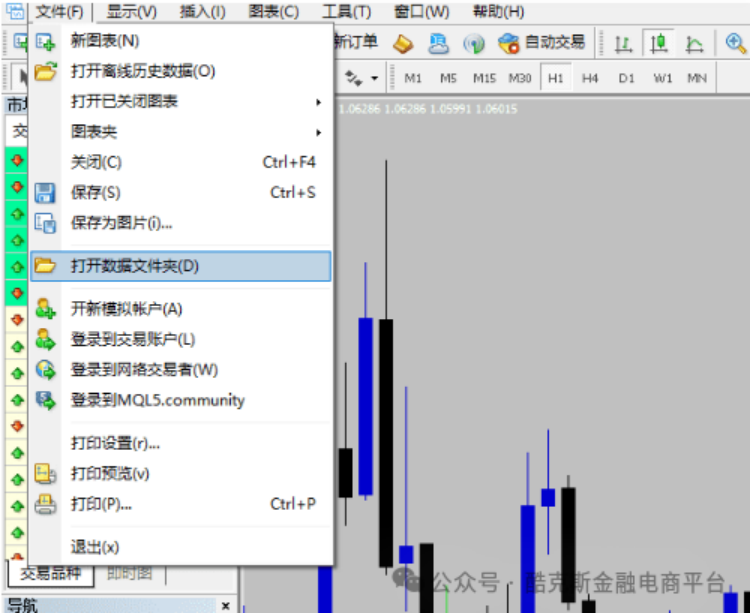
1. Open MT4 software and click 【File】——【Open Data Folder】;
2. In the opened folder, click 【MQL4 Folder】——【Indicators】folder and open it;
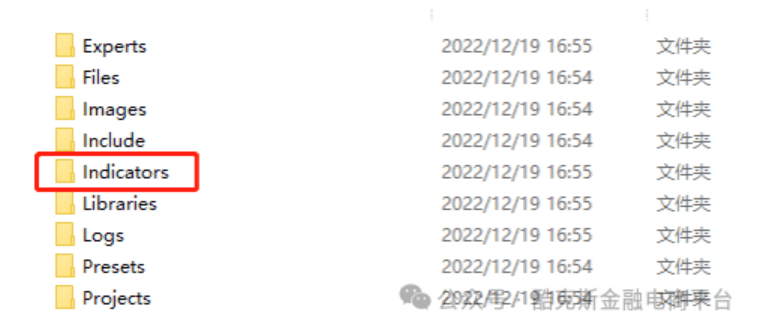
3. Directly put the downloaded indicator into the 【Indicators】folder;
4. Restart MT4 software, click 【Insert】——【Technical Indicators】—Custom, or find the external indicator you need in the indicator navigator.
02. How to Run Multiple Instances of MT4?
This function might not be frequently used, but it's essential for those managing multiple accounts. To do this, locate the MT4 software installation path, right-click on the desktop icon, select properties/open file location, copy the entire folder, paste it into a different path, and double-click “terminal.exe” inside the copied folder. Theoretically, if your computer is sufficiently advanced, you can run multiple instances.
03. How to Adjust Chart Styles?
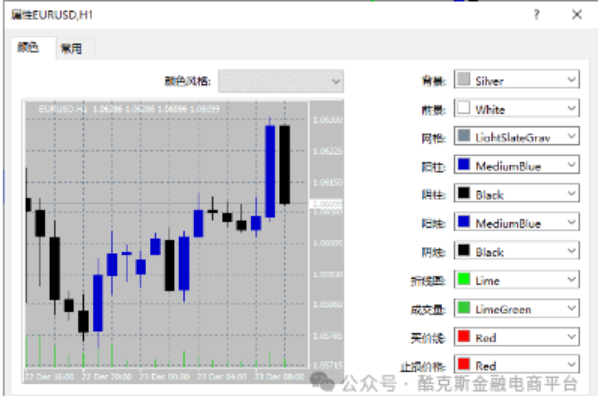
Some people prefer colorful styles, while others prefer black and white candle charts; some like grid backgrounds, others prefer solid backgrounds. These can all be customized.
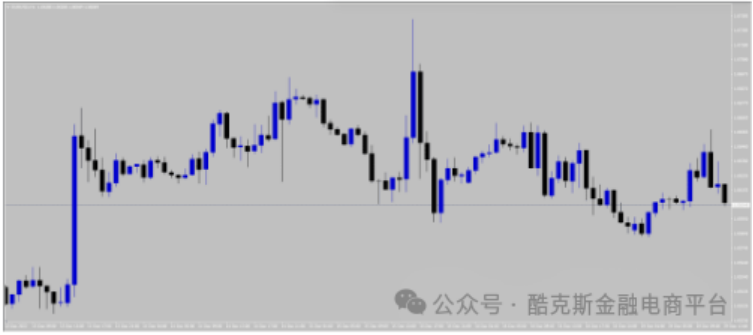
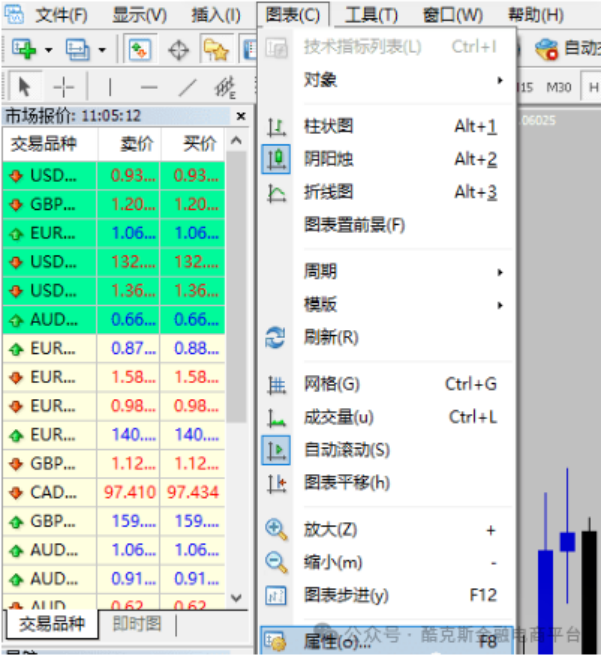
Steps: Open 【Chart】—【Properties】, by changing the colors of the background, foreground, bull candles, bear candles, etc., you can make your chart more intuitive and eye-pleasing.
04. How to Save and Load Templates?
Increasingly, younger investors are willing to embrace new things and challenge themselves. Frequent computer use and preference for shortcuts characterize the growing number of young traders. MT4 also offers many shortcuts, making it especially convenient to use!
Steps:
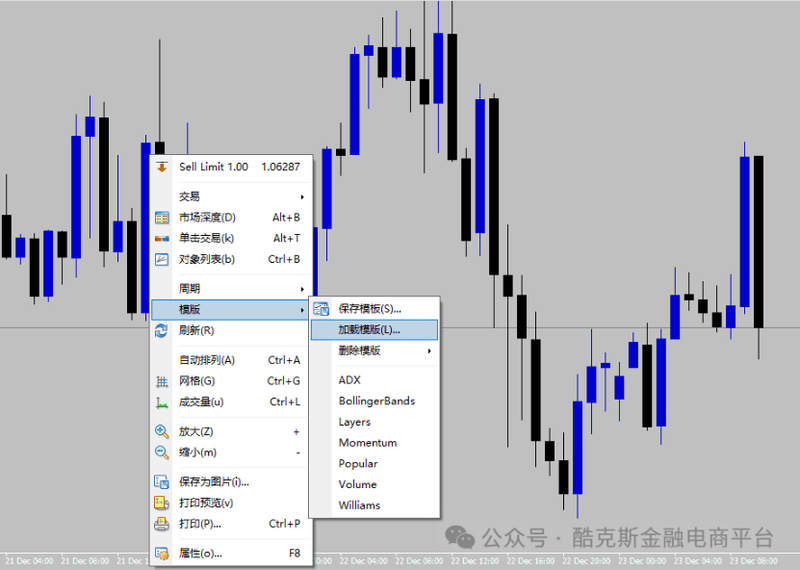
1. If you have a well-adjusted zigzag indicator on the USD/CHF chart, you can save this set of indicators as a template named zigzag;
2. Then, open the EUR/USD chart, directly load the template by selecting zigzag, and you will see the same trading strategy applied to different trading instruments.
05. Common Shortcuts in MT4
Increasingly, younger investors are drawn to new experiences and challenges, and the number of young traders is growing. They prefer using shortcuts for their frequent computer operations. MT4 offers many convenient shortcuts as well!
Introduction to Operations:
Ctrl+I - Open Indicator Window
Ctrl+F - Crosshair
Ctrl+Y - Show Date Line on Chart
Ctrl+W - Close Current Chart Window
Ctrl+Z - Undo Delete Objects
+ Zoom In Chart
- Zoom Out Chart
Alt+1 - Bar Chart
Alt+2 - Candlestick Chart
Alt+3 - Line Chart
F2 - History Data Center
F7 - Trade System Parameter Settings
F8 - Main Chart Window Properties
F9 - Place Order
F10 - Pop-up Quotes
MT4 is a third-party trading software used by most brokers. Despite being around for 15 years, it remains the most popular trading tool. This is due to its ability to meet the needs of technical analysis and order placement, along with enabling extensive third-party integration.
Although this software is complex, mastering today's tips will undoubtedly make your trading more convenient.